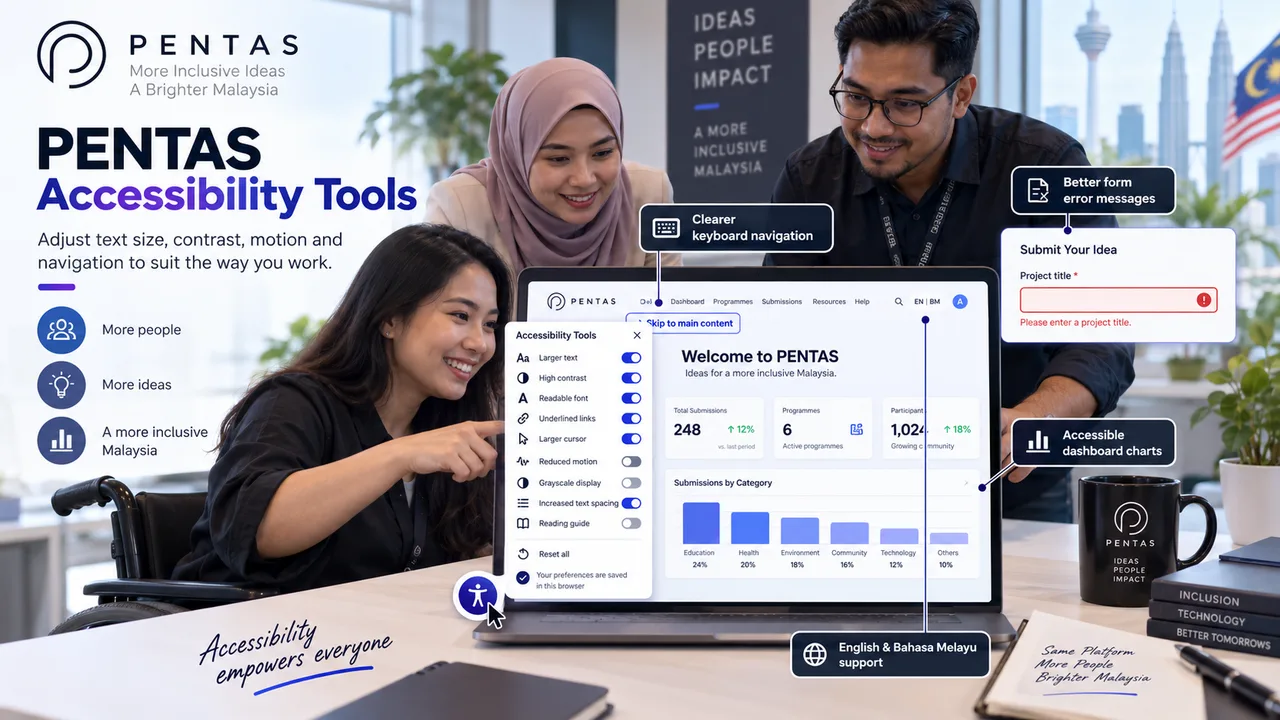
PENTAS accessibility tools help participants, jury members and organisers adjust text size, contrast, motion and navigation to suit the way they work.
On this page
PENTAS now includes new accessibility tools that let users adjust the website to suit the way they read, navigate and work. The options are available across the platform for participants, jury members, institutions and competition organisers.
Choose the settings that work for you
Open the accessibility menu from the floating button at the bottom-left of the website. You can change the text size, contrast, font and other display settings without leaving the page.
The menu includes:
- larger text, with several size options
- high contrast
- a readable font
- underlined links
- a larger cursor
- reduced motion
- grayscale display
- increased text spacing
- a reading guide
These settings support different reading and viewing preferences. A participant may increase the text size while completing a registration form. A jury member who finds animation distracting can turn on reduced motion. Users who find links difficult to identify can enable underlined links.
Your choices are saved in the same browser, so you do not have to configure them again every time you move between PENTAS pages. You can also select “Reset all” whenever you want to return to the default settings.
Clearer keyboard navigation
PENTAS also includes improvements for people who navigate with a keyboard. Menus and pop-up windows now manage focus more carefully, helping users stay within the active panel while they move through its controls.
Users can open and close interactive controls with the keyboard, use Escape to close supported panels, and return to the control that opened a dialog. A “Skip to main content” link also lets keyboard users bypass repeated navigation and move directly to the main information on a page.
Forms explain errors more clearly
When something goes wrong during login, registration or password recovery, the error now appears inside the form as well as in a notification.
This gives users more time to read the message and understand what to do next. It is especially useful for people who may not notice a short-lived pop-up notification.
Better labels for dashboard charts
PENTAS dashboards include charts for registrations, revenue, certificates, awards and other competition data. The charts now include meaningful labels for assistive technologies, so administrators can better understand what each visualisation represents when reviewing reports.
English and Bahasa Melayu support
The accessibility menu is available in English and Bahasa Melayu. PENTAS also updates the page language information when users switch languages, which helps browsers and assistive technologies interpret the page correctly.
How to open the accessibility tools
Look for the accessibility icon at the bottom-left of the PENTAS website. Select the options you need, then continue using the platform as usual. You can return to the menu later or select “Reset all” to restore the default settings.
These changes give each PENTAS user more control over the reading and navigation experience. Whether you are registering a project, judging submissions or managing a competition, you can set up the platform in a way that works better for you.
Comments
Leave a comment
No comments yet — be the first to share your thoughts.
Comments are reviewed by our team before they appear on this page.
Keep reading
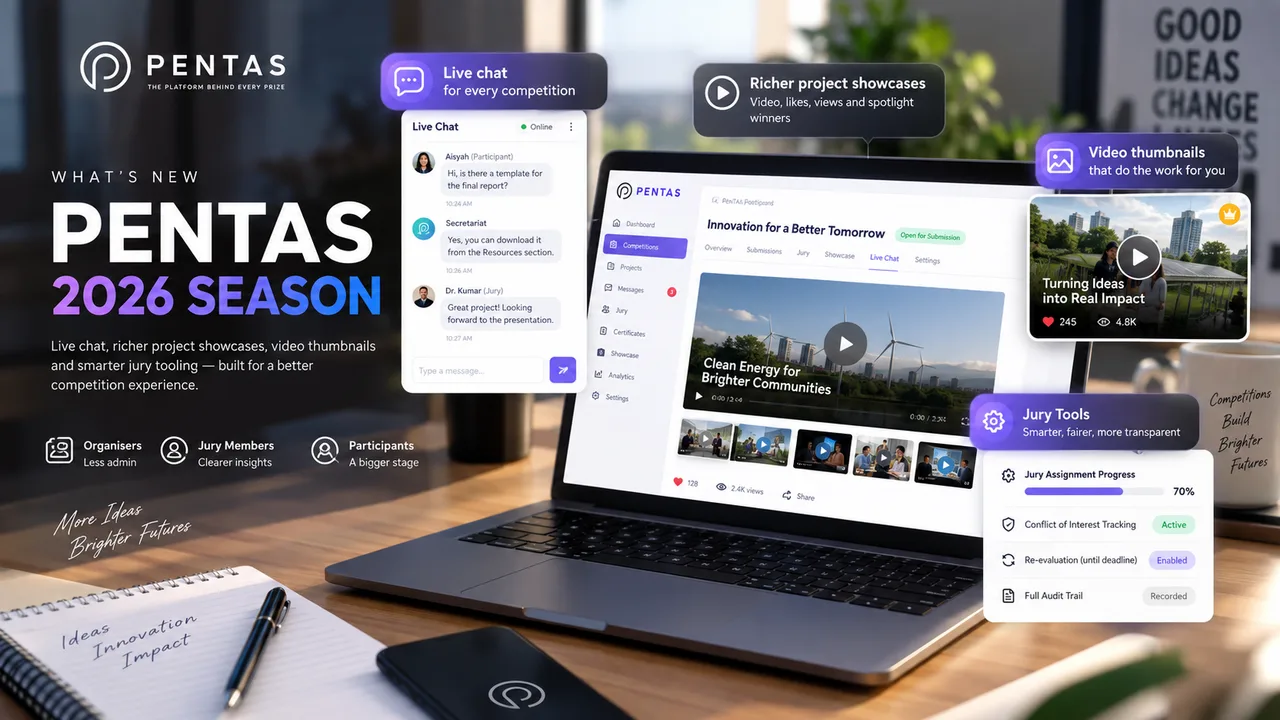
What's New on PENTAS for the 2026 Competition Season
Live chat, richer project showcases, video thumbnails and smarter jury tooling — a quick tour of everything that landed on PENTAS heading into the 2026 season.

DIGIT360 and PSMZA Join Forces to Advance International Innovation Through INTELLIGENT’26
A strategic collaboration between DIGIT360 Sdn. Bhd. and Politeknik Sultan Mizan Zainal Abidin (PSMZA) strengthens international innovation engagement through technology-enabled competition management and a shared commitment to nurturing future innovators.

DIGIT360 Named UiTM's Most Outstanding Startup Company 2024
A milestone in innovation, entrepreneurship and technology commercialisation as DIGIT360 Sdn. Bhd. receives prestigious university-wide recognition at the Majlis Anugerah Sanjung Sarjana.